Jori Britt • UI/UX
Schedule Overhaul
Lead Product Designer | Weave | May 2024
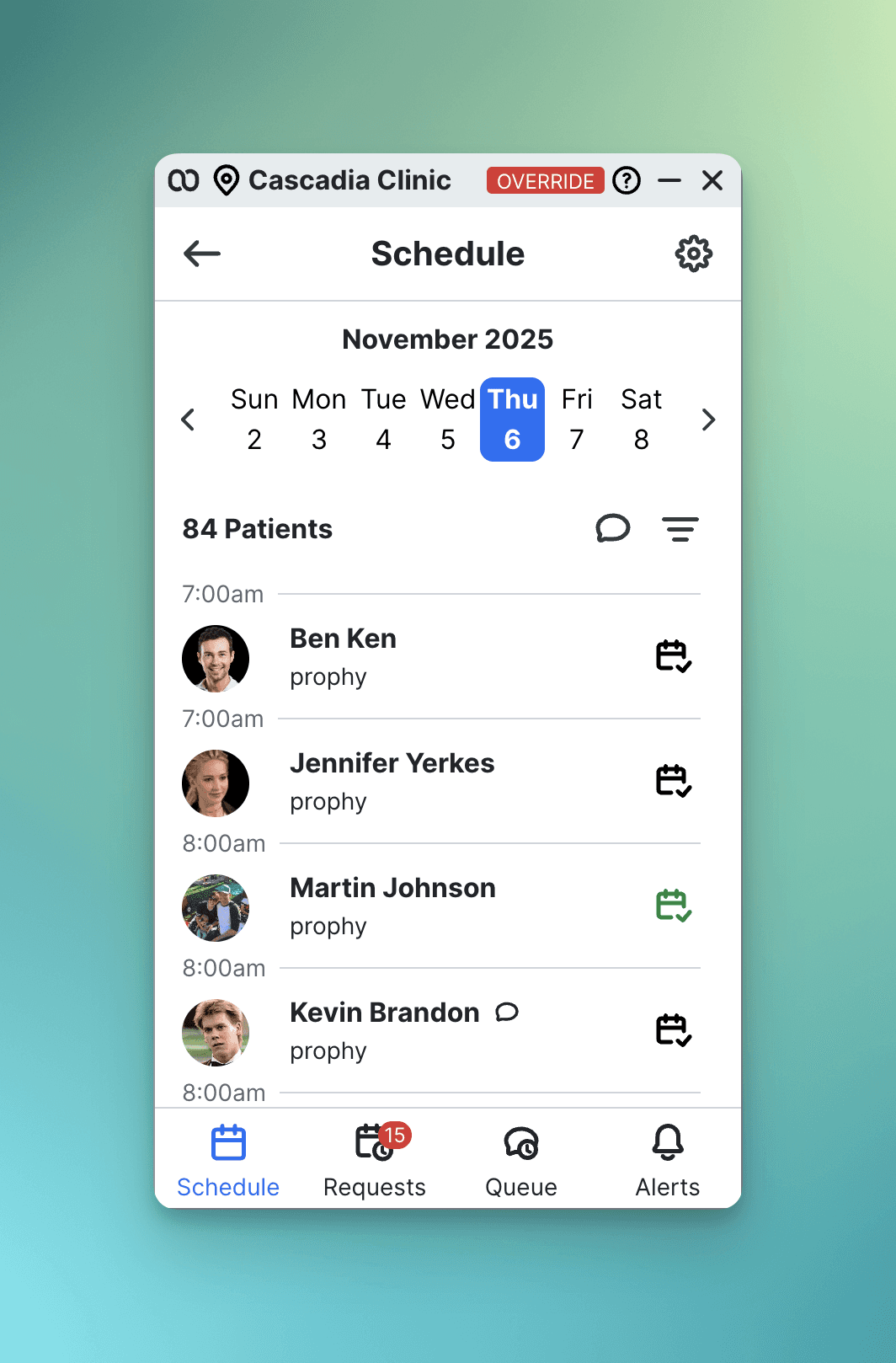
Weave's legacy schedule (350px list view, single-location only) couldn't support enterprise DSOs (dental service organizations) with multiple locations and dozens of providers. What began as a 2021 side project became a strategic priority in July 2023 when the company shifted to target larger dental organizations.
Goal: Rebuild for web with feature parity while enabling multi-location, multi-provider workflows
My Approach
I started with competitive analysis of calendar interfaces like Google Calendar, Calendly, and dental PM systems, alongside a thorough audit of legacy features and usage data. Card sorting exercises with front desk staff helped determine information hierarchy.
I explored a horizontal timeline concept first, but rejected it because the layout was too cramped and the left-to-right time orientation felt unnatural. I landed on a vertical timeline with provider columns (200px each), designing two views: a familiar list view called Schedule Pulse and a full-page calendar for multi-provider scheduling.
Key design decisions included a 15-minute minimum card height for readability, pagination arrows to help users navigate horizontally, and appointment cards that showed patient name, confirmation status, and appointment type indicated by a colored stripe.
What Went Wrong
Mid-development, we discovered critical backend limitations we hadn't validated upfront. The data architecture had no API endpoints for appointment type colors, forcing all appointments to display the same color. Practice management integrations were pulling in every provider who'd ever worked at a practice, creating calendars with 50+ columns of mostly inactive staff. Some integrations had bugs that created duplicate provider records.
The impact was significant. We shipped with poor data quality and manual workarounds like hide/show toggles. First impressions suffered.
The Results
Users overwhelmingly preferred the simple list view over the timeline calendar we'd invested most effort building. Why?
Familiarity – Users coming from the legacy app are already accustomed to list view.
Cleaner data – The data quality issues were less visible in list format.
Context switching – Better fit for quick-reference workflows.
Post-launch: 8+ months of iteration to fix backend, add features, and achieve calendar adoption
Key Learnings
The MVP we should have built:
Ship list view only (2-3 months)
Validate demand for timeline (1-2 months)
Fix backend foundation (2-3 months)
Build calendar properly (3-4 months)
Saved time: 8-10 months
What changed my practice:
I now validate backend capabilities before detailed design, starting every project with technical validation meetings. I test with real production data instead of clean test environments to surface issues early. I advocate for the foundational work that needs to happen without losing sight of tomorrow's aspirations. I trust user behavior over designer assumptions, and I ship smaller to learn faster instead of building the full vision upfront.
Bottom Line
The timeline calendar wasn't wrong; it was premature. We built an ambitious solution before infrastructure could support it and before validating users wanted it during a major transition.
The insight: Getting the timing right is just as important as getting the design right.